










Navigating your online patient portal: Best practices
These platforms let you view your medical records, communicate with your doctors, and more. Here's how to use your portal to your advantage.
- Reviewed by Catherine M. DesRoches, DrPH, MSc, Contributor
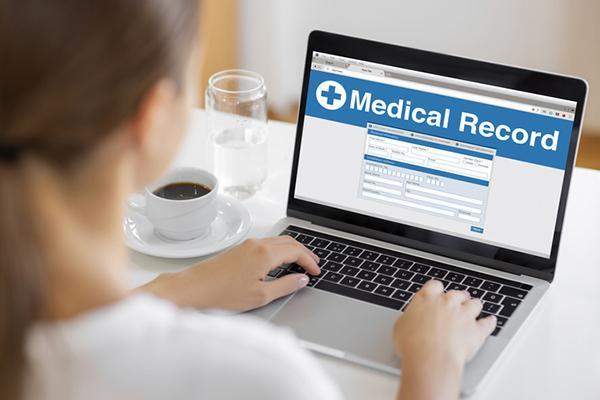
Most health care systems and doctors' offices now have online patient portals that make it easier than ever to communicate with your health care team. Rather than calling and waiting on hold to schedule an appointment or request a medication refill, you can do those tasks and others (such as paying your bill) online through a secure website portal.
You can also send messages to your clinicians, read their notes from your visits, and see your test results. And many portals enable you to share access to your information with another person.
Taking advantage of the many different portal functions offers greater efficiency and transparency for you, your providers, and their staff. Communicating via portal also has some potential downsides, but you can often avoid those problems by following the suggestions below from Dr. Catherine DesRoches, associate professor of medicine at Harvard Medical School and executive director of Open Notes, a project designed to improve communication between patients and clinicians based at Beth Israel Deaconess Medical Center.
Messaging your doctor: Keep it brief
"People often use the portal to ask specific health questions. But they need to realize that doctors read and respond to these notes during short breaks in between patients or in the evening," says Dr. DesRoches. Even though other staff members usually screen messages and handle administrative requests, a busy primary care clinician may get dozens of portal questions daily. Spending just a few minutes to respond to each one can take a considerable amount of time. If you have more than a single simple question, multiple chronic health issues, or a brand-new problem, it's better to make an appointment, which will also better serve your needs.
"I encourage people to ask their clinicians about how they prefer that their patients use the portal," says Dr. DesRoches. History and context matters: a doctor who has helped you manage a chronic condition for many years may be more comfortable responding to questions about medication changes in your case than with a newer patient, she adds.
Advice about results and notes
Since 2021, health care systems have been required by law to provide patients immediate electronic access to all of their digital medical record data, says Dr. DesRoches. In the past, people had to submit requests and show up in person to get paper copies or a CD with the files. It's a good idea to look over your doctor's clinical notes and what's often called an "after visit summary" to make sure the information is correct and that you understand how to manage your health conditions.
Moreover, now that all records are electronic, test results are available much sooner - often before your doctor has a chance to review them. If you're worried about a test, you may want to know the result as soon as possible. But you might prefer to wait until your clinician gets in touch with you, as they can provide important perspective and answers about your next steps. "Most systems default to notifying patients every time there's something new in the portal. But you can change your settings so you don't receive new test result alerts," says Dr. DesRoches.
Note that some of the terms you might see in your test results or notes don't necessarily imply what you might assume. For example, "unremarkable" shouldn't be interpreted as a slight - it means normal, or no worrisome findings. And "complaint" is just how doctors describe symptoms and doesn't suggest you were grumbling or whining.
Sharing information
If you have trouble navigating a portal account, or if you want to keep someone else up to date on your health, you can share access to your portal with a trusted contact, such as a family member or close friend. That person then creates an account with their own login to view your portal. In addition to seeing your records and test results, the person can help you do administrative tasks such as scheduling appointments or renewing your prescriptions, says Dr. DesRoches. Such arrangements are particularly beneficial for people assisting relatives who are older or have cognitive issues, she adds. But spouses may also want to set up shared access with each other, which can be helpful in an emergency.
Image: © bymuratdeniz/Getty Images
About the Author

Julie Corliss, Executive Editor, Harvard Heart Letter
About the Reviewer

Catherine M. DesRoches, DrPH, MSc, Contributor
Disclaimer:
As a service to our readers, Harvard Health Publishing provides access to our library of archived content. Please note the date of last review or update on all articles.
No content on this site, regardless of date, should ever be used as a substitute for direct medical advice from your doctor or other qualified clinician.


